Entity types and fields
An Entity Type defines the kind of information you want to manage, such as Clients, Suppliers, or Organisations. Each type has its own fields, optional statuses, and list display settings.
Where to find it
Section titled “Where to find it”Open Entities → select from the Entity Types listed or create a new one.
Use built-in types
Section titled “Use built-in types”OhYeh includes starter Entity Types such as Clients and Suppliers with common fields (name, email, phone, and similar). Use them as-is or create your own custom entity type.
Create a custom type
Section titled “Create a custom type”- Open Entities
- From the list of Entity Types click Create Type → Create Custom Type
- Set Basic Information such as Name and Description, and add a Color and Icon to help identify the entity type
- Add Information Fields such as text, email, phone, date, number and more to define the information you want to capture for entities of this type
- Optionally define Statuses (active, paused, etc.)
- Click Create Entity Type - the entity type is available workspace-wide
Configure fields
Section titled “Configure fields”For each field:
- Set a Field Name (to describe the information it captures, such as Email Address, Company Name, or Start Date) and Field Type (the kind of information the field can capture, such as Email, Text, Number, or Date)
- Mark Required only when the information must be provided for the entity to be used correctly.
- Toggle Show in list if you want the information in that field to be visible in the list of entities on the Entities page
Status values
Section titled “Status values”Add Statuses when entities move through a small set of states your team agrees on. For example, a client might move from prospective status to active status. Skip statuses if notes alone are enough.
Edit and delete
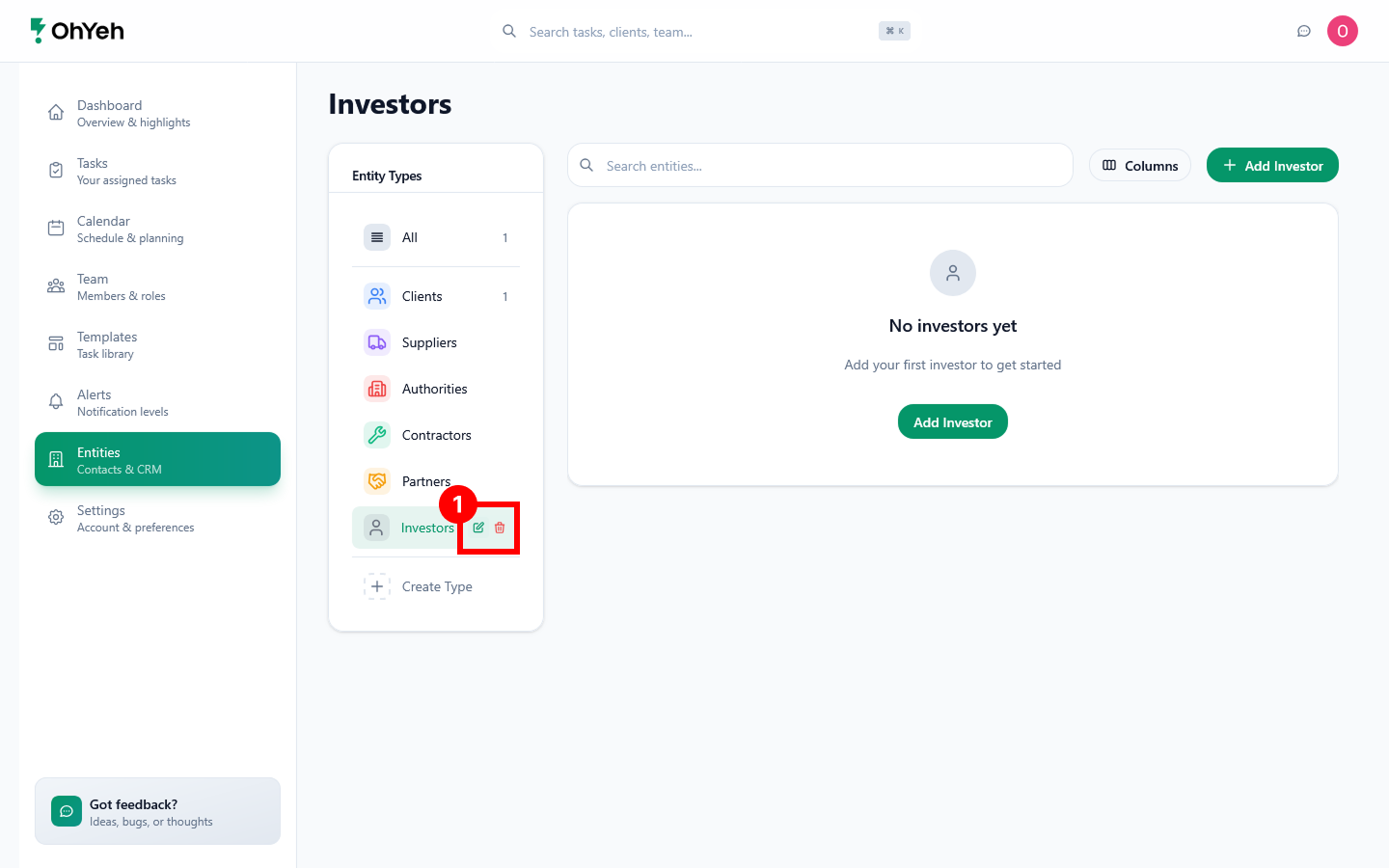
Section titled “Edit and delete”You can edit or delete an entity type by selecting it and clicking either the Edit or Delete button that appears 1. NOTE: The Edit option is only available for custom entity types you have added.